
Machine-learning alert scoring across Nova
NovaSignal. Alert prioritization with the reasons in view.
NovaSignal gives analysts a risk-based view of the alert workload. Review scored alerts with the detection evidence, threat intelligence, affected assets, exposure, and activity that influenced their priority. Compare score changes and alert clusters, examine baseline trends, and review suppression recommendations before deciding where investigation or rule tuning is needed.
Score. Explain. Adapt with evidence attached.
See how work moves through Nova
Move through current product views one step at a time. Each view answers a different security question and keeps the available evidence and limits visible.
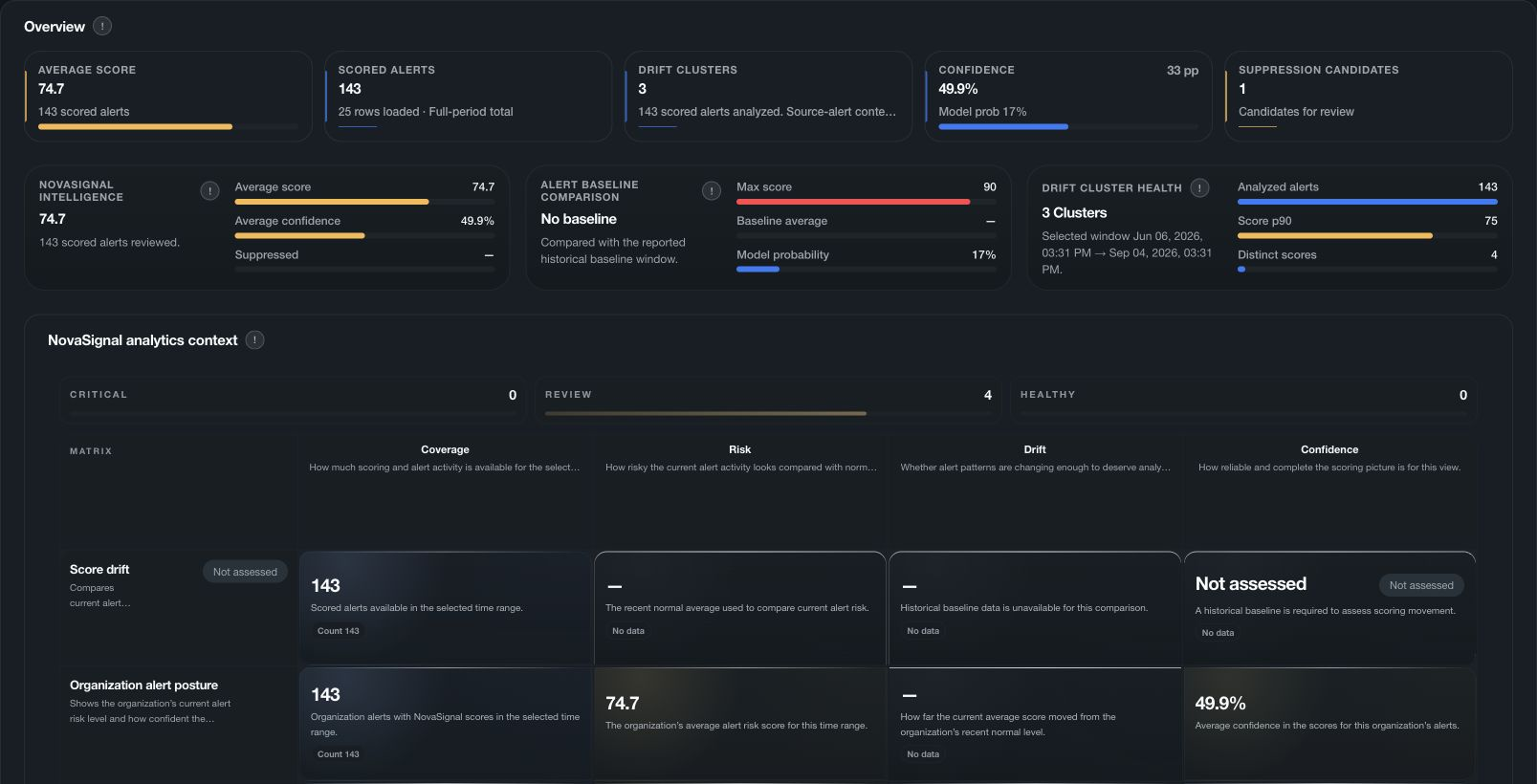
NOVASIGNAL
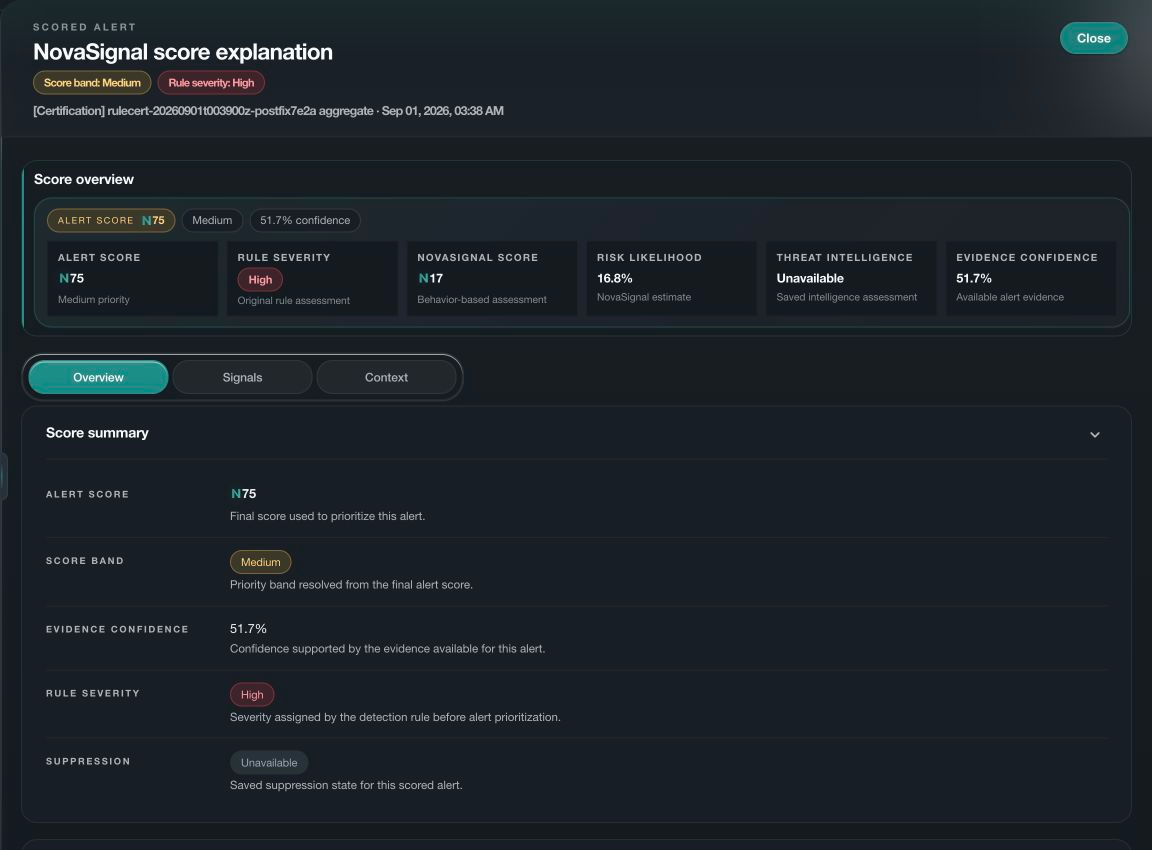
NovaSignal ranks alerts so analysts can focus their review. Each score includes the supporting factors and confidence, including when missing data limits the assessment.
01 · Scoring System
One priority. Every supporting signal kept in view.
NovaSignal combines a machine-learning signal with explicit security evidence and safeguards. The result is a final alert priority, confidence level and explanation, not a black-box verdict.
- 01
Collect the evidence
Bring the alert, threat, asset, exposure and coverage context together.
- 02
Measure priority
Assess the alert using machine learning and related security information.
- 03
Apply safeguards
Protect strong independent detections and bound the result to available evidence.
- 04
Explain the result
Read the priority and confidence beside the historical comparison and the reasons for the score.
02 · Context That Matters
Priority becomes useful when context becomes explicit.
Each input remains independently reviewable, including whether its expected evidence was available.
Detection evidence
Preserve the rule, severity and observed activity that brought the alert into view.
Threat context
Use independently matched threat intelligence and its coverage without treating a missing match as proof of safety.
Asset and exposure
Add assessed asset risk, public exposure and control context when that evidence is available.
Activity context
Consider the identity, sign-in activity, source, and timing related to the alert.
Confidence and coverage
Show how much of the expected evidence was available for the assessment.
Historical baseline
Compare current and previous scores to understand significant changes.
03 · Learning from analyst feedback
Prioritization that learns from reviewed outcomes.
NovaSignal can score alerts before your team has provided feedback. Where personalization is enabled, confirmed true-positive and false-positive decisions can help improve relevance. Updated scoring must pass quality checks before use.
01 · BASELINE
Scoring from the start
Use the standard scoring model while your organization builds enough reviewed feedback for personalization.
02 · PERSONALIZED
Relevance to your organization
When enabled, personalization uses the alerts your analysts have confirmed as true positives or false positives. Unreviewed alerts are not assumed to be harmless, and changes to scoring must pass quality checks before they are used.
04 · Trust Boundary
Understand why an alert ranks highly before deciding what it means.
NovaSignal keeps the difference between model signal, final priority, confidence and evidence coverage clear throughout the investigation.
- The machine-learning signal is one input to the final priority, not an unexplained verdict.
- Review critical detection evidence even when another contributing score is low.
- Missing or incomplete context remains visible as not assessed or reduced confidence.
- NovaSignal prioritizes and explains. It does not create detections or authorize response actions.
05 · Connected Intelligence
A distinct scoring role inside one connected platform.
NovaSignal sets alert priority. The other Nova engines support behavior analysis, investigation, detection improvement, and response. A priority score does not authorize an action.
Evaluate NovaSignal
Review your alert workload. See how NovaSignal prioritizes it.
Review your data sources, alert volumes, and analyst workflow with Hansec to plan an evaluation of NovaSignal.